


AutoZone Auto Parts & Repair
4.714.31K Reviews
App Specs
- Version
- 26.6.0
- Updated On
- License
- Free
- Downloads
- 5,000,000+
- Developer
- AutoZone, Inc.
- Categories
- Auto & Vehicles
- Platform
- Android, iOS
Screenshots
 Analysis by AppCompare
Ever find yourself in a bind while trying to figure out what’s wrong with your car? Well, that’s where the AutoZone Auto Parts & Repair app steps in to save the day. This app is a real game-changer for folks like me who are not exactly car experts but want to keep things running smoothly.
Finding your way around without rushing
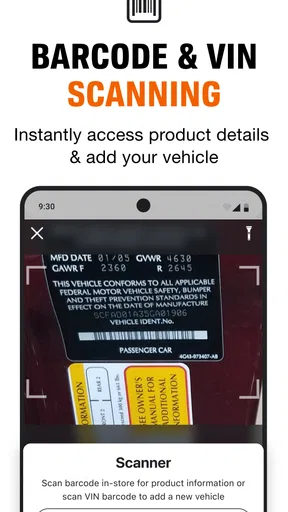
For me, the best test of a car-parts app is whether I can make sense of it when I have a practical question, not whether the opening screen looks polished. AutoZone is built around a familiar task: identify a vehicle, look for something relevant to it, and decide what to do next. That gives the interface a useful center of gravity. Entering the vehicle details can reduce the guesswork that comes with browsing parts by name alone, especially when several items sound similar but do not fit the same model.
I would still treat a suggested match as a starting point, not a guarantee. Before buying a part, compare the vehicle information you entered with the details you know about your car, and check the product description carefully. If you are unsure about a trim, engine, or model year, pause and verify it rather than letting a convenient result make the decision for you. That small habit can prevent an avoidable return or a wasted trip.
The app is free, and AutoZone, Inc. is the developer behind it. It has a 4.7 average from around 115,000 ratings, with over five million installs, which suggests it has reached many drivers, though popularity alone cannot tell me whether it suits every vehicle owner. Its Everyone age rating makes it broadly approachable, but the usefulness still depends on what you need: someone who shops for parts often may get more from it than a driver who only wants a one-time address lookup.
Useful in a driveway, less so behind the wheel
There is an important difference between having repair information available and being able to use it safely in the moment. I would browse parts, read instructions, or plan maintenance while parked, not while driving or trying to diagnose a problem on the shoulder. If a warning light appears on the road, the immediate priority is finding a safe place to stop; an app can help with the next decision, but it cannot replace roadside judgment or a qualified mechanic.
That distinction matters for different abilities and situations. A driver with limited hand mobility may find searching and ordering more practical when there is time to move slowly and make corrections. Someone who has difficulty reading small text or processing a dense repair explanation may prefer to review the relevant steps at home, enlarge the phone display if their device allows it, and ask another person to read along. Those are useful workarounds, but they depend on the phone and the person helping, not on a special accessibility feature I can promise.
Getting Started
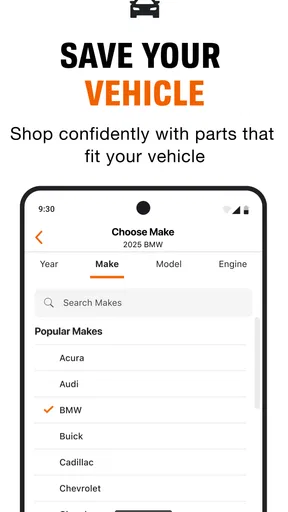
Jumping into the AutoZone Auto Parts & Repair app is a breeze. Once you download it from your go-to app store, setting it up is straightforward. You start by entering your vehicle’s details, which is super handy because it tailors the content to your specific car. No more guessing which part fits!
Worth Reading Before You Choose

Flipboard Shows What News Apps Must Do Beyond the Feed

Switching to Android Auto Means Rethinking Your Driving Routine

Google Calendar Makes a Crowded Week Easier to Manage

Ludo King Makes the Most of the Minutes Between Plans

Baby Panda World Brings Quick Play to Modern Phones, but Its Game Library Feels Busy

ESPN’s Live Game View Makes Following Close Games Easier
What really stood out to me was the user-friendly interface. The app is clean, intuitive, and you can find everything you need pretty quickly. Navigation feels natural, so even if you’re not tech-savvy, you’ll get the hang of it in no time.
Making a repair plan before buying
The app’s value is not limited to a last-minute purchase. If I notice a worn wiper or hear a new sound, I can use a calm moment to look up the vehicle, identify likely parts, and decide whether the job is within my comfort zone. I would note down the exact part name and any vehicle details before heading to a store. That is especially handy if I expect to ask an employee a question: I can explain what I searched for instead of trying to describe a vague symptom from memory.
For a realistic example, imagine a headlight bulb goes out on the evening before a commute. I would first confirm which vehicle is saved, search for the replacement, and check whether a nearby store is a practical option. If the repair looks manageable, I can gather the part and instructions before daylight rather than attempting the job in a dark parking lot. If the process looks unfamiliar or involves more than a simple replacement, I would use the information to have a clearer conversation with a mechanic instead of treating a guide as pressure to do it myself.
AutoZone is most useful when the next step involves its parts catalog or a local store. Compared with a general web search, a vehicle-focused shopping flow can make it easier to narrow down relevant items and keep the purchase connected to the car you entered. A map app may be quicker if all you need is directions, while a repair forum can offer broader discussion from owners with similar symptoms. I see this app as a practical bridge between researching a job and sourcing parts, rather than a replacement for every automotive resource.
Features That Make a Difference
The app is packed with features, and some are downright lifesavers. First off, the DIY repair guides are fantastic. They offer step-by-step instructions that are easy to follow, even if your only experience with cars is filling up the gas tank.
For a first-time repair, I would read the whole guide before picking up a tool. That lets me spot steps that may require equipment, a second pair of hands, or a level of confidence I do not have. I also like to separate “I understand the instructions” from “I can safely complete this repair.” A guide can make a job clearer without making every job suitable for a beginner. If the instructions do not match the vehicle or the problem seems more serious than expected, stopping and getting professional help is the sensible call.
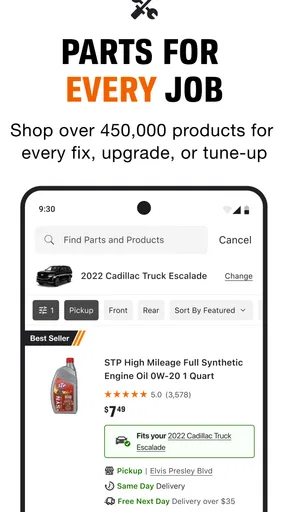
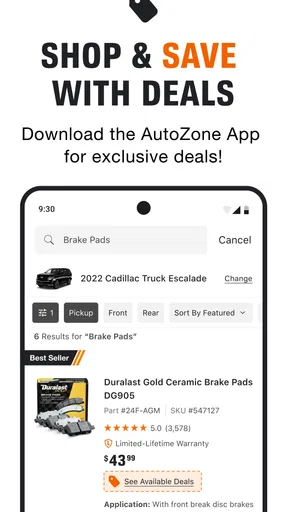
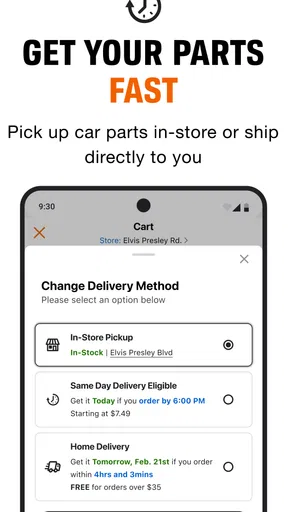
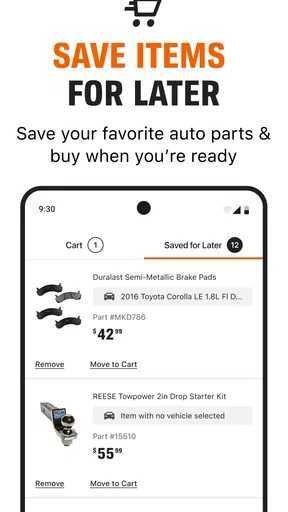
Need parts? No problem. You can search for car parts directly in the app. The search function is robust, and it even suggests compatible parts based on your vehicle's details. Plus, you can order them right there in the app and pick them up at your local store or have them delivered.
That shopping connection is convenient, but it also shapes who will benefit most. If I already know the part I need, I can move from lookup to purchase without starting over elsewhere. If I am comparing several brands, trying to find the lowest price across multiple retailers, or looking for a hard-to-identify component, I may want to check other sources too. I would confirm availability and the pickup or delivery choice during checkout, then keep the order details handy; a search result is not the same thing as having the part in my hands.
Another cool feature is the check engine light tool. If that dreaded light comes on, you can use the app to find out what’s up without having to rush to a mechanic. This alone can save you time and money.
I would use that kind of guidance to prepare, not to make a diagnosis by guesswork. A warning light can have different causes, and a brief explanation cannot inspect the car or judge how it is running. If the vehicle is behaving unusually, or I am worried about safety, I would stop driving when appropriate and seek qualified help. The tool is most helpful when it turns an alarming dashboard moment into better questions: what should I check, what information should I share, and how urgent might the next step be?
Staying Connected
One of the things I love is how the app keeps you in the loop. You can set alerts for upcoming maintenance tasks, which means you won’t forget to change your oil or check your brakes. It’s like having a personal assistant for your car.
I find reminders most useful when they support a routine I have already chosen. I would review the timing against the vehicle’s manual and my actual driving conditions rather than treating a generic prompt as a definitive service schedule. A reminder can help me remember to check something; it cannot judge wear on a component or account for every detail of how a particular vehicle has been used. That makes the feature a nudge, not a substitute for inspection or the manufacturer’s guidance.
There’s also a community forum within the app where you can ask questions and share tips with other users. It’s a great place to get advice from people who’ve been there, done that.
Community advice can be reassuring, but I would compare suggestions with a repair guide or a trusted professional before acting, especially when the issue affects brakes, steering, tires, or another safety-critical system. Owners may describe similar symptoms while dealing with different faults. The forum is better for collecting ideas and learning what questions to ask than for treating a stranger’s experience as a confirmed diagnosis.
When another option makes more sense
I would skip this app if I do not want to shop for automotive parts, already have a trusted service provider who handles every repair, or only need to find a store once. In those cases, a browser search or a map app may be faster and simpler. It is also not the right tool for someone expecting a mechanic to inspect a vehicle remotely, or for a driver who needs emergency assistance rather than shopping and repair information.
For people who prefer spoken instructions, have low vision, or find touch navigation tiring, the practical experience will depend partly on their phone’s built-in controls and display settings. I would try a low-pressure task first, such as looking up a familiar maintenance item, before relying on the app during a stressful repair. If the text, sequence, or interaction becomes difficult, asking someone to help or choosing a repair shop is a reasonable alternative—not a failure to use the app properly.
The app has continued to receive updates, and version 25.8.0 is the current version. It has been available since August 2, 2010, and the long-running presence is reassuring in a basic sense: this is an established retail tool, not an unfamiliar one-off download. Still, I would judge it by whether its current catalog and workflow fit my needs, rather than assuming that age or a large audience guarantees an effortless experience on every phone.
Wrapping It Up
In a nutshell, the AutoZone Auto Parts & Repair app is a must-have for anyone who drives. It’s designed to make car maintenance less of a headache and more of a manageable task. Whether you’re a DIY enthusiast or just trying to keep your car in tip-top shape, this app has got your back.
I’d say give it a shot. It’s like having your very own pit crew right in your pocket, ready to help you out whenever you need it. And who wouldn’t want that kind of peace of mind?
My inclusive verdict
My recommendation is narrower than “everyone who drives needs it.” I think it is a strong fit for someone who wants to connect vehicle-specific part research with AutoZone shopping, and who appreciates having repair information and reminders in the same place. The main benefit is practical continuity: identify the car, investigate a need, and plan a next step without treating each task as a separate search.
For drivers with different reading, movement, or sensory needs, I would approach it as a useful option to test in a comfortable setting, not as a guaranteed accessible experience. Its clearest strengths are the vehicle-centered workflow and the route from research to parts; its limits are the need to verify fit and advice, the demands of reading and using a phone, and the fact that repair information cannot replace hands-on expertise. If those trade-offs suit you, it can make routine ownership feel more organized. If they do not, a mechanic, a simpler store locator, or help from someone you trust may serve you better.
Pros
- Extensive parts inventory for most vehicles.
- User-friendly interface with easy navigation.
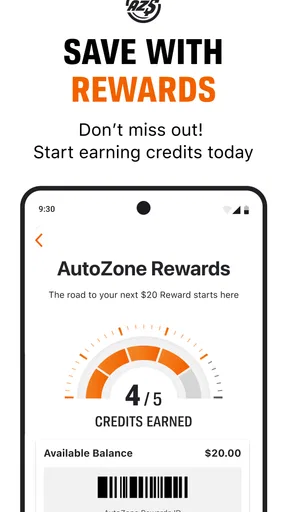
- Loyalty program rewards frequent shoppers.
- In-app order tracking for convenience.
- Access to repair guides and tips.
Cons
- Some features require account registration.
- Limited options for international users.
- Occasional app crashes reported by users.
- In-app promotions can be overwhelming.
- Not all stores offer same-day pickup.
FAQs for AutoZone Auto Parts & Repair
What features does the AutoZone Auto Parts & Repair app offer?
The AutoZone app provides a range of features including access to a vast catalog of auto parts, tools, and accessories. Users can check product availability at nearby stores, order items for home delivery or in-store pickup, and track their order status. The app also offers maintenance reminders and step-by-step repair guides to assist users with vehicle upkeep.
Is the AutoZone app free to use, and are there any in-app purchases?
Yes, the AutoZone Auto Parts & Repair app is free to download and use. There are no hidden fees or in-app purchases required to access its primary functions. However, you will need to purchase any auto parts or accessories through the app if you wish to obtain them for your vehicle maintenance.
How user-friendly is the AutoZone app for beginners?
The AutoZone app is designed with user-friendliness in mind, featuring an intuitive interface that guides users through browsing and purchasing processes. The app includes clear navigation tabs for easy access to different sections, such as parts lookup, store locator, and account management, making it accessible for users of all experience levels.
Can I use the AutoZone app to find repair guides for my vehicle?
Yes, the AutoZone app offers a comprehensive library of repair guides and videos. Users can search for guides by entering their vehicle's make, model, and year. These resources provide step-by-step instructions for various maintenance tasks, from simple repairs to more complex procedures, helping users manage their vehicle's upkeep efficiently.
Does the AutoZone app require an internet connection to function?
While some features of the AutoZone app can be accessed offline, such as previously downloaded repair guides, most functionalities require an internet connection. To browse parts, check store availability, place orders, or access real-time updates and app features, a stable internet connection is necessary.


